

To cancel Secrets AI, go to Settings > Manage Subscription (or the Subscription page), click “Cancel Subscription”, give a short reason and confirm. Per the official wiki, you keep full access until the end of the period you paid for, and then the account moves to the free tier. Cancelling stops future charges but does not refund the current period, and it does not delete your account.
This guide is built from the Secrets AI wiki, terms of service, refund policy and privacy policy, checked on Oct 27, 2026. It is a test drive, so I have not cancelled a paid plan myself, and the places where only a paid account can confirm a detail are marked. For the service itself, see the Secrets AI test drive, and for what you were paying, Secrets AI pricing.
Before you cancel: three things to know
Cancelling stops the next payment, not the current one. The refund policy (section 1.3, last updated October 21, 2026) says cancellation takes effect at the end of your current billing period. Section 1.1 adds that no partial refunds are issued for unused days, except as required by law or the policy.
Your monthly Moments grant does not carry over. The wiki says your Moments balance stays intact for the rest of the billing cycle. Monthly grant Moments reset each month and never roll over, while Moments you bought do not expire. So use grant Moments before the end date.
Cancelling is not deleting. The wiki says your chats, memories, characters and generated content are all kept after you cancel. Deletion is a separate step, below.
Step by step: cancel your Secrets AI subscription
The wiki page “Cancelling” gives three steps. Here they are with the checks I would add.
- Sign in at secrets.ai with the account you subscribed with. Secrets AI is not on the App Store or Google Play, per the wiki, so there is no app store subscription to cancel. This is done in the browser or the installed web app.
- Go to Settings > Manage Subscription, or straight to the Subscription page. The User Settings page shows your tier, renewal date and status under Subscription & moments. Write down the renewal date.
- Click Cancel Subscription. The wiki says you will be asked for a brief reason.
- Confirm.
- Check it worked. The subscription status should change, and the wiki mentions a “Resume Subscription” button that is available until the period ends. If you can see that button, the cancellation registered.
- Take a screenshot with the date. If you are charged later, this is your evidence.
The terms of service (section 14) give two more routes: contact the payment processor named in the receipt emailed to you, or email [email protected]. Use them if the button fails, and keep a copy.
When to cancel
The terms (section 14) say you must cancel before the subscription renews to avoid being billed for the next cycle. Multi-month plans are billed upfront and renew for the same term. The wiki does not give a time of day for renewals, so cancel at least a day early.
Crypto, G2A keys and legacy plans
- Crypto. The wiki says resume works for card subscriptions only. A crypto subscription has to be bought again through a new checkout. The refund policy says crypto purchases are non-refundable under any circumstances.
- G2A keys. No need to cancel. The wiki says redeemed keys do not auto-renew. The plan runs its full term and the account moves to the free tier.
- Lite or Plus. If you got a notice that your legacy plan is moving to Premium, the wiki says cancelling before the change date means you are not charged the Premium price.
If you change your mind
Before the period ends, open the Subscription page or Settings and click Resume Subscription, per the wiki. That turns auto-renewal back on. After it ends, you choose a new plan.
What happens after the period ends
The wiki says the account moves to the free tier, and your chats, memories, custom characters and generated content are still there. The free tier is 20 messages a day, with no monthly Moments and no option to buy Moments.
One contradiction to know about. The terms of service (section 14, last updated April 10, 2026) say that if you cancel, “your account will automatically close” at the end of the billing period. The wiki says the account moves to the free tier and nothing is deleted. The wiki is the more detailed of the two, but if your content matters, keep your own copies of anything important before the end date.
Can you get a refund?
Cancelling does not refund the current period. The wiki says so in its FAQ, and the refund policy backs it up. Refunds are narrow:
- Billing errors. Tell support in writing within 30 days of the statement where the error appeared. Secrets says it will correct mistakes with a credit or a refund to the original payment method (refund policy 1.2, terms 14.1). The terms say that if you miss the 30 days, you waive the disputed charge.
- Moments. All Moments purchases are final, except for billing errors or where the law requires otherwise (refund policy section 2).
- EU and UK users. You can withdraw from a new subscription within 14 calendar days of the first purchase. If you have not used premium features, you get a full refund. If you have, a proportional amount is deducted. This applies to the first purchase only, not renewals (refund policy section 3, terms 14.2). The terms include a model withdrawal form.
- Not refunded. Periods already used, Moments spent on generated content, and accounts suspended or terminated for breaking the terms (refund policy section 4).
How to ask. Email [email protected] with your account email, the transaction ID or billing statement, and a description of the issue. The refund policy says the first reply comes within 3 business days (section 5).
Deleting your account and data
Secrets AI has a self-service delete. The wiki’s User Settings page lists Delete account under Account safety and says it permanently removes your account and data.
The privacy policy (section 7) says what happens on deletion:
| Data | What happens |
|---|---|
| Name, email, profile data | Deleted immediately |
| Chat history | Deleted immediately |
| Transaction records | Kept 7 years for tax and accounting, anonymised or pseudonymised where possible |
| Security and system logs | Kept up to 12 months, and the policy says they hold no personally identifiable information |
For access, correction or deletion requests by email, the privacy policy (section 9.3) gives [email protected], and [email protected] for legal inquiries.
Neither the wiki nor the privacy policy says that deleting the account cancels a running subscription. Cancel first, screenshot, then delete.
Charged after cancelling? Do this
1. Check the charge. The wiki and privacy policy say card charges show as S LABS INC. Match the amount and date to your plan. Check you do not have a second account under another email.
2. Check your settings. If the subscription still shows active, cancel now and screenshot it.
3. Email support within 30 days. Write to [email protected] with the charge, your account email and proof of cancellation. Under the terms, billing disputes must be in writing within 30 days of the statement. Say clearly that the charge came after a confirmed cancellation.
4. Then your bank. If support does not fix it, dispute the charge with your card issuer and send your screenshots and emails. The terms say you waive chargebacks on Moments purchases “except as required by law”. They do not say what a chargeback does to a subscription account.
Crypto cannot be disputed through a bank, and the wiki sends crypto payment problems to Discord tickets or NOWPayments.
A separate card for this kind of sign-up makes all of this easier. See how to pay for adult sites privately.
If you are leaving because of price
On published numbers checked Oct 25, 2026, other companion apps I have test driven list prices like these:
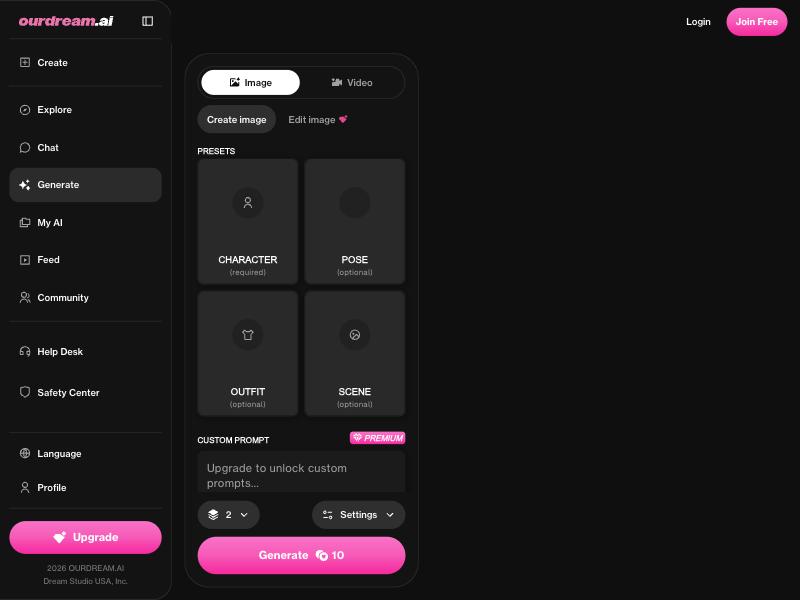
- OurDream AI is USD 19.99 a month, or USD 119.88 a year, so no cheaper than Premium on paper.
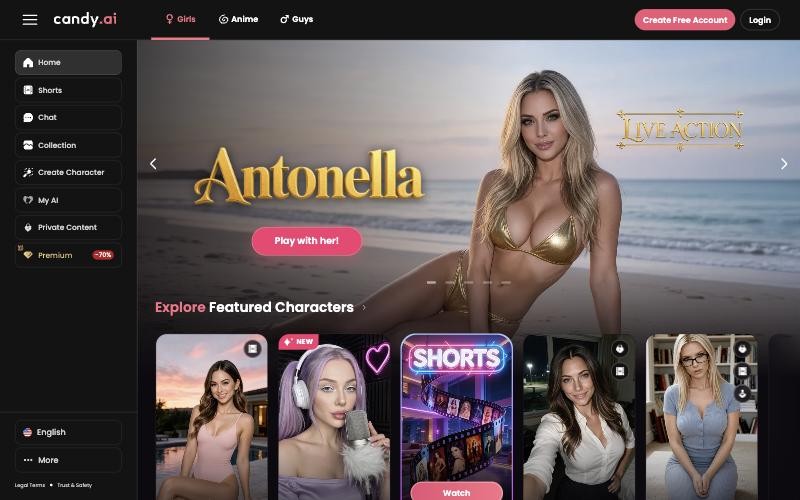
- Candy.ai lists its annual plan at EUR 47.88, priced in euros.
- Lovescape shows Premium from USD 7.99 a month on a 12-month plan, at promotional prices.
Or stay on Secrets AI’s own free tier, which the wiki puts at 20 messages a day. The best free AI girlfriend apps page compares free plans, and best AI girlfriend apps has the full list.
Quick checklist
- Use your monthly grant Moments before the end date
- Settings > Manage Subscription > Cancel Subscription > confirm, at least a day before renewal
- Screenshot the status and check that “Resume Subscription” appears
- Keep your own copies of anything important
- Billing error: email [email protected] within 30 days of the statement
- Want your data gone: Delete account under Account safety, after cancelling
- Charged anyway: support first, then your card issuer
| # | Service | Score | From | |
|---|---|---|---|---|
| #1 |  Candy.ai |
9.0 | €3.99/mo | Visit site |
| #2 |  Secrets AI |
8.8 | $9.17/mo | Visit site |
| #3 |  OurDream AI |
8.0 | $9.99/mo | Visit site |
FAQ
How do I cancel my Secrets AI subscription?
Go to Settings > Manage Subscription or the Subscription page, click "Cancel Subscription", give a short reason and confirm, per the official wiki. You keep access until the end of the billing period. The terms also allow cancelling by email to [email protected].
Does Secrets AI refund you if you cancel?
No. Cancelling stops future charges but does not refund the current period. Refunds cover billing errors reported within 30 days, and EU and UK users can withdraw within 14 days of the first purchase. Moments and crypto payments are non-refundable.
What happens to my Moments when I cancel Secrets AI?
Your balance stays usable until the period ends. Monthly grant Moments reset and do not roll over. Purchased Moments do not expire, but the official pages do not say whether they can be spent on the free tier.
Does cancelling Secrets AI delete my account?
No. The wiki says your chats, characters and content are kept and the account moves to the free tier. To delete it, use Delete account under Account safety in User Settings. The privacy policy says chats are deleted immediately.
What does Secrets AI show on my bank statement?
S LABS INC, according to the wiki and the privacy policy.