

To cancel OurDream AI, go to your profile page, click “Cancel subscription” and confirm. Per the official help center, you keep access until the end of the period you paid for and are not charged again. Cancelling does not delete your account, and it does not give you money back: those are separate steps.
This guide is built from OurDream’s help center, refund policy, privacy policy and Trust & Safety site, checked on Oct 27, 2026. It is a test drive, so I have not cancelled a paid plan myself. Where something can only be checked inside a paid account, I have marked it. For the service itself, see the OurDream AI test drive, and for what you were paying, OurDream AI pricing.
Before you cancel: three things to know
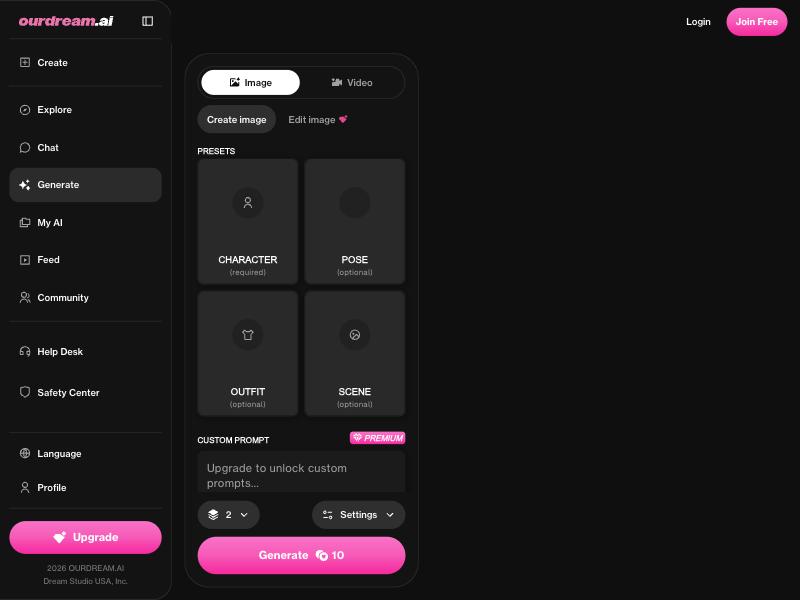
Cancelling stops the next payment, not the current one. The refund policy (section 2, last modified March 9, 2026) says your subscription stays active until the end of the current billing period and you are not charged for later periods. Unused parts of a period are “generally non-refundable” unless the law says otherwise.
Your images get blurred when the plan ends. The help center says that after you unsubscribe, all images and videos you generated are blurred, and community packs are locked too. It tells you to download anything you want to keep. If you resubscribe later, the content is still on the account and un-blurred.
Cancelling is not deleting. Your account, characters and chats stay after you cancel. Deletion is its own step, covered below.
Step by step: cancel your OurDream subscription
The help center article “How do I cancel my subscription?” (edited Dec 5, 2025) gives three steps. Here they are with the checks I would add around them.
- Sign in at ourdream.ai with the account you subscribed with. OurDream and ourdream.io are the same service with one account, per the terms. There is no app store app, so this happens in the browser or the home-screen shortcut.
- Download any images and videos you want to keep. Once the paid period ends, they are blurred.
- Open your profile page and click Cancel subscription.
- Confirm the cancellation.
- Check that it worked. Look for a changed status or end date on your profile and a confirmation email.
- Take a screenshot of the cancelled status with the date. If a charge turns up later, that is your evidence.
The refund policy also says you can cancel by emailing [email protected]. Use that if the button does not work for you, and keep the sent email.
When to cancel
The help center says the monthly plan is billed monthly and the annual plan is billed USD 119.88 once, with the next charge 12 months later. Neither the help center nor the terms say at what time of day a renewal is charged. Cancel at least a day before your renewal date, not on it.
If you paid by crypto or a G2A code
The help center lists cards and crypto, and G2A codes as a fallback when a card is declined. How renewals work for crypto, and whether a G2A one-year code renews at all, is not described on the pages I checked. Check your profile for an end date either way.
What happens to your dreamcoins
This is where OurDream’s own pages do not quite agree, so I will quote both.
- The cancellation article says unused dreamcoins stay in your account until the billing period ends and can be used during the time you have left.
- A separate article on expired subscriptions says “Coins do not expire”, but that you only get free-tier perks, images and videos are blurred again, and you cannot buy coins without an active subscription.
- If you come back later, the cancellation article says reactivating creates a new subscription and “any previous unused coins are not restored”.
The safe reading: spend the coins you care about before your end date. Do not count on a balance being there if you return.
Can you get a refund?
Cancelling does not trigger one. The cancellation article says plainly: no automatic refunds for cancellation. A refund is a separate request, and OurDream publishes two sets of rules.
From the help center (“How do I request a refund?”):
- No refund once more than 25% of a product has been used.
- Monthly subscriptions cannot be refunded once the coins have been used up.
- Annual subscriptions may be eligible for a full or partial refund.
- Crypto payments cannot be refunded.
- Approved card refunds take 5 to 10 business days.
From the refund policy (last modified March 9, 2026):
- If the service is defective or “significantly different from its description”, contact support within 14 days of purchase. OurDream may offer a credit, replacement, fix or refund at its discretion, and aims to resolve requests within 7 business days (section 1).
- Users in the EEA, the UK and Switzerland have a 14-day right of withdrawal from a purchase. Using the service straight away and consenting to it may mean you lose that right once the service is fully provided (section 3).
- Crypto payments are final (section 4).
How to ask. The help center says to use the Request Help button on your profile page and include the product (subscription or coins), the charge date and amount, and your reason. The refund policy gives [email protected] instead, with your account email and any supporting documents. Support aims to pick up requests within 24 to 48 hours, per the help center.
A processed refund has side effects, per the help center: the subscription is cancelled, unused dreamcoins are removed and your images and videos are blurred until you resubscribe. Do not ask for one if you still want the rest of the period.
Deleting your account and data
OurDream has a self-service delete. The help center article (edited Aug 3, 2026) gives these steps:
- Go to your profile page.
- Scroll down to the “danger zone” at the bottom.
- Click delete my account and follow the prompts.
The privacy policy and the Trust & Safety site describe the same option under Settings → Account management, so the label may depend on which page you open.
What the help center says happens:
- Processing takes 24 to 48 hours, and deletion is permanent.
- Generations, unpublished characters and chat history are deleted.
- Unused dreamcoins go, with no refund.
- An active subscription is cancelled automatically, and you lose access even if time is left.
What may stay. The privacy policy (section 9) says a public character that reaches a certain popularity can be kept active after you delete your account. It also says OurDream may keep information to meet legal obligations and may use de-identified or aggregated data for any purpose. For other data requests, the privacy policy gives [email protected] and a target of one month.
My order would still be: cancel, screenshot, download what you want, then delete. Automatic cancellation is good, but a screenshot of your own is better evidence.
Charged after cancelling? Do this
1. Check the charge. OurDream does not publish the name that appears on your card statement, so compare the amount and date with your plan: USD 19.99 a month or USD 119.88 a year, per the help center.
2. Check your profile. If the subscription still shows active, cancel now and screenshot it.
3. Contact support first. Use Request Help or email [email protected] with the charge date, amount, your account email and your proof of cancellation. Say clearly that the charge came after a confirmed cancellation. That is a billing error, not a change of mind.
4. Then your bank. The refund policy (section 5) asks you to contact support before a chargeback. A chargeback filed without contacting them first “may result in suspension of your account pending investigation”. If support does not fix a charge you had already cancelled, dispute it with your card issuer and send them your screenshots and emails.
Crypto payments cannot be disputed through a bank. Support is the only route there.
For future sign-ups, a separate card makes this easier. See how to pay for adult sites privately.
If you are leaving because of price
On published numbers, checked Oct 25, 2026, the other companion apps I have test driven cost about the same or less on paper:
- Secrets AI has a free tier of 20 messages a day, and Premium is USD 19.99 a month or USD 109.99 a year.
- Candy.ai lists its annual plan at EUR 47.88, priced in euros.
- Lovescape shows Premium from USD 7.99 a month on a 12-month plan, at promotional prices.
Different currencies and coin systems, so not like for like. The best AI girlfriend apps page has the full list, and Candy.ai vs OurDream AI compares the two directly.
Quick checklist
- Download the images and videos you want to keep
- Spend dreamcoins you care about before the end date
- Profile → Cancel subscription → confirm, at least a day before renewal
- Screenshot the cancelled status
- Want money back: Request Help or [email protected], and read the 25% rule first
- Want your data gone: profile → “danger zone” → delete my account
- Charged anyway: support first, then your card issuer
| # | Service | Score | From | |
|---|---|---|---|---|
| #1 |  Candy.ai |
9.0 | €3.99/mo | Visit site |
| #2 |  Secrets AI |
8.8 | $9.17/mo | Visit site |
| #3 |  OurDream AI |
8.0 | $9.99/mo | Visit site |
FAQ
How do I cancel my OurDream AI subscription?
Go to your profile page on ourdream.ai, click "Cancel subscription" and confirm, per the help center. You keep access until the end of the paid period. The refund policy says you can also cancel by emailing [email protected].
Does OurDream AI refund you if you cancel?
No, not automatically. A refund is a separate request through Request Help or [email protected]. The help center says there is no refund once more than 25% of a product is used, and crypto is never refunded. EEA, UK and Swiss users have a 14-day withdrawal right under the refund policy.
What happens to my images when I cancel OurDream AI?
When the plan ends, the help center says your generated images and videos are blurred and community packs are locked. They come back if you resubscribe. Download anything you want to keep before the end date.
Does cancelling OurDream AI delete my account?
No. Your account and chats stay. To delete them, use delete my account in the "danger zone" at the bottom of your profile page. It takes 24 to 48 hours, is permanent, and cancels any active subscription.
Can I get my dreamcoins back after cancelling?
Not reliably. The help center says unused coins can be used until the period ends and are not restored if you reactivate later, and a refund removes them. Spend them before your end date.