

Short answer: go to Profile → My Subscription → Manage → Cancel Subscription. That is the path CrushOn.AI’s terms of service give. Do it before your next billing date: your plan stays active to the end of the current cycle, and a renewal you didn’t stop in time is not refunded. Message credits and Diamonds you bought are final.
One question from our CrushOn.AI review, which covers the bots, plans and privacy on one page.
This guide is built from CrushOn.AI’s terms of service (the “Recurring Billing and Cancellation Policy” and “Refund Policy” sections) and its privacy policy, read on Nov 13, 2026. The site blocks plain downloads of its pages, so I read them in a browser. I have not cancelled a paid plan myself. For what you were paying, see CrushOn.AI pricing.
Key facts (checked Nov 13, 2026):
- Where: Profile → My Subscription → Manage → Cancel Subscription.
- Deadline: before your next billing date. Charges are taken in advance.
- After cancelling: the plan runs to the end of the current billing cycle, then stops.
- Refunds: none for unused time, mid-cycle cancellations or downgrades, except where the law requires.
- Questions: the terms point to a support ticket on Discord, and list [email protected].
Step by step
- Sign in at crushon.ai with the account you pay on.
- Open Profile → My Subscription.
- Click Manage, then Cancel Subscription. The terms say you “may cancel your subscription at any time via your account’s subscription management settings”, and give this exact path.
- Confirm, and screenshot the result with the date.
When. The terms say charges “are processed in advance and renew on the same calendar day each month”. Cancellations “must be submitted before your next billing date”. If you miss it, you are charged for the next cycle, and that charge “will not be refunded” except under the refund policy or the law. Cancel at least a day early.
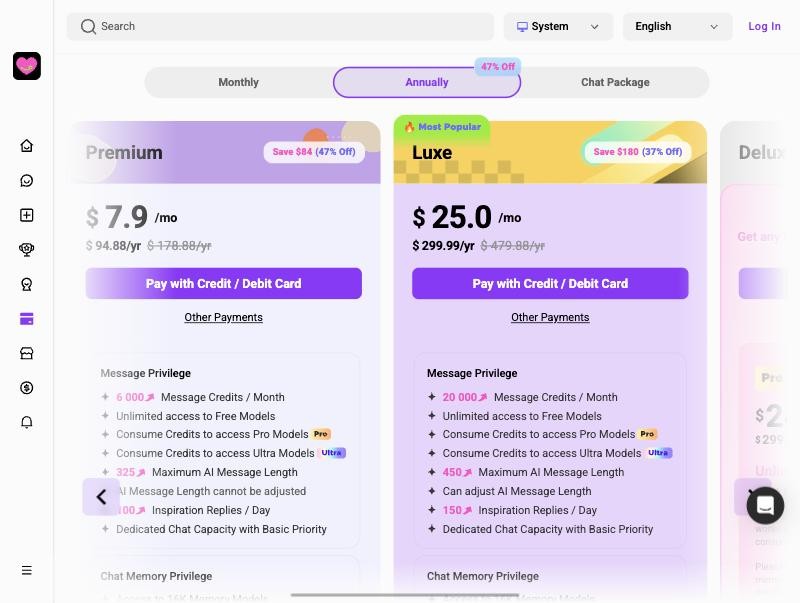
Yearly plans. The pricing page sells yearly plans too, but the billing section of the terms only talks about monthly renewals. Cancel a yearly plan the same way, well before the yearly renewal date.
What happens after you cancel
The terms say: “service will remain active until the end of your current billing cycle. No further charges will occur.” After that, your account is a free account again.
Watch your chat history. On the pricing page I read on Nov 13, 2026, paid plans say chat memory is kept for the period of the membership, and the free plan says chat history is deleted after 7 days of inactivity. So once you are back on free, save anything you want to keep, or keep using the account.
Credits and Diamonds. The refund section calls message credits, Diamonds and other virtual items a “limited, personal, non-transferable right” to use features. They can’t be cashed out. Purchases of them are “final and non-refundable” except as the policy or the law says. If you bought Diamonds to unlock creators’ paid content, unlocked content stays available “while Your account, the content and the Service remain available”, unless a fixed period was shown before the unlock.
Can you get a refund?
Mostly no. In the terms:
- Usage fees are “non-refundable except as expressly provided in this Refund Policy or required by applicable law”.
- “We do not offer partial refunds or credits for unused time, mid-cycle cancellations, or downgrades.”
- The terms also say nothing in them limits a mandatory refund or withdrawal right under consumer law. If you are in the EU or UK, that may matter.
The one case the policy spells out is Diamond-unlocked content that is not supplied, differs materially from its description, or becomes unavailable through no fault of yours. Then CrushOn says it will restore access or give “an appropriate refund or re-credit”.
For subscription questions, the terms send you to “submit a ticket on Discord”. The terms also list [email protected].
Charged after cancelling?
- Check the date. If it was your renewal date and you cancelled after it, the charge stands under the terms.
- Check for a second account. A plan on another email bills on its own.
- Contact support through the Discord ticket or [email protected], with the date, amount and your cancellation screenshot.
- Think before a chargeback. The terms let you raise “a genuine dispute”, but where CrushOn sees fraud or payment abuse it may decline future payments from that card and act against the account. Keep your proof.
Your data after you leave
Cancelling is not deleting. The privacy policy I read describes no self-service delete button. It says you can send requests to exercise your privacy rights to [email protected], and that data is kept “for so long as it is reasonably necessary” or as the law requires.
If you want your chats and account gone, cancel first, then email that address from your account email and ask for deletion.
If you are leaving
CrushOn.AI alternatives compares other NSFW chat apps. SpicyChat has a free tier and no per-message credits; see SpicyChat pricing and, if you are leaving it too, how to cancel SpicyChat.
Quick checklist
- Profile → My Subscription → Manage → Cancel Subscription
- At least a day before your billing date
- Screenshot the result
- Use up credits you paid for; they are not refunded
- Want your data gone: email [email protected] after cancelling
- Charged anyway: Discord ticket or email, then your bank
| # | Service | Score | From | |
|---|---|---|---|---|
| #1 |  SpicyChat |
7.5 | $5/mo | Visit site |
| #2 |  JanitorAI |
7.5 | $12.99/mo | Visit site |
| #3 |  CrushOn.AI |
7.0 | $4.91/mo | Visit site |
FAQ
How do I cancel my CrushOn.AI subscription?
Go to Profile → My Subscription → Manage → Cancel Subscription, per the terms of service. Do it before your next billing date.
Do I keep CrushOn.AI premium after cancelling?
Yes, until the end of your current billing cycle. The terms say no further charges will occur.
Does CrushOn.AI refund unused time?
No. The terms say there are no partial refunds or credits for unused time, mid-cycle cancellations or downgrades, except where the law requires one.
Are CrushOn.AI credits and Diamonds refundable?
Purchases of message credits, Diamonds and other virtual items are final, except as the refund policy or the law provides.
How do I contact CrushOn.AI about billing?
The terms point to a support ticket on Discord, and list [email protected].